 RockCloud-基石云安全-官方博客
A domain suddenly becomes inaccessible in mainland China or certain regions, while you (or an overseas colleague) can access it fine. At this point, the first thing to do is not to change the domain or server, but to pinpoint the exact layer of failure: is resolution being spoofed, is access being blocked, or is the origin itself down? These three look very similar but require completely different handling. If you misdiagnose it as DNS poisoning and buy a cleaning service, you'll spend money and the problem remains.
Below is the practical order of operations: first use four actions to confirm poisoning, then recover along two tracks — temporary measures you and your team can use immediately, and business-side solutions that let ordinary users open the website without any configuration.
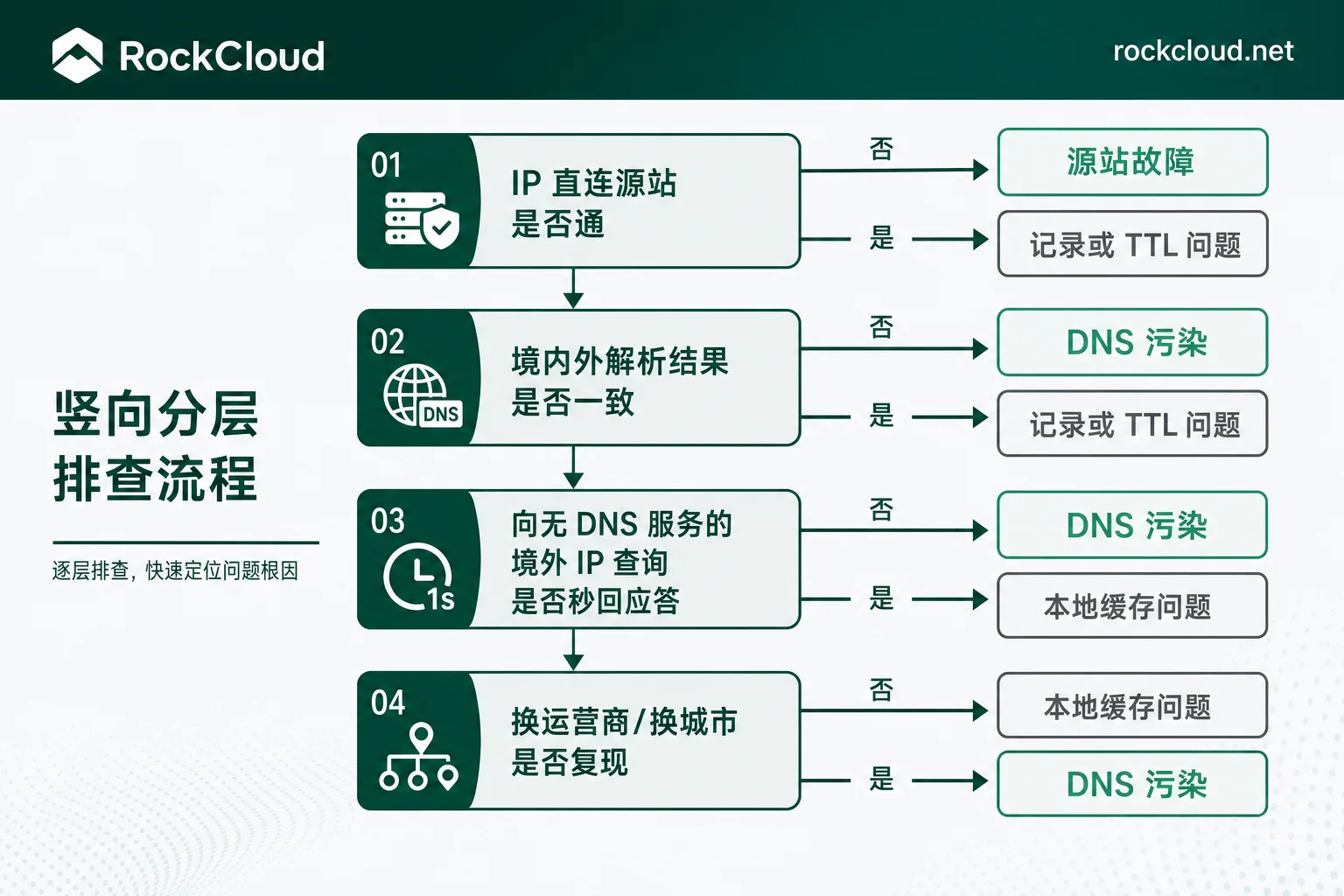
Four-Step Confirmation: Is the Failure in Resolution, Path, or Origin?
Step 1: Bypass the domain and connect directly to the origin. Send a request using the real IP with a Host header:
curl -sv -H "Host: 你的域名" https://源站IP/ --resolve 你的域名:443:源站IP
ping 源站IP
telnet 源站IP 443
If the direct connection returns a normal response, the service itself is fine, and the problem lies between the domain and the IP. If direct connection also fails, investigate firewalls, security groups, and service processes first — don't think about DNS yet.
Step 2: Compare resolution results inside and outside the country. Use dig +trace 你的域名 to see what the authoritative server returns, then use multi-location probing tools to see the IPs resolved by different provinces and ISPs. Typical poisoning characteristics are: authoritative and overseas resolutions both return the real entry IP, while some domestic ISPs' LocalDNS return a blackhole IP, an unrelated overseas IP, or simply a wrong record.
Step 3: Send a query to an overseas IP that does not provide DNS service. This step is the most conclusive:
nslookup 你的域名 <一个你确定没有运行 DNS 服务的境外 IP>Normally this query should time out and receive no response. If it returns an A record almost instantly, that record cannot have come from that IP — it came from a device on the path that identifies plaintext UDP 53 queries and preemptively forges responses. At this point, path-level poisoning can be basically confirmed.
Step 4: Re-test on different networks. Test on different ISPs, different cities, and mobile data. Poisoning usually shows clear regional and ISP differences. An anomaly seen on only one machine is more likely a local cache issue.
Before Concluding, Rule Out Several More Common Causes
- Access blocking, not resolution poisoning. Resolution results are correct and TCP connections can be established, but port 80/443 is RST or returns a block page — this is content/ICP-level blocking, and DNS cleaning won't help.
- The DNS record itself is wrong, or TTL hasn't expired. First log in to your DNS provider and verify the authoritative record; if you just changed it, wait for the old TTL duration before concluding.
- Origin failure, port not listening, security group misconfiguration. Direct IP connection fails, unrelated to DNS.
- Only a few users can't access. More likely those machines or that LocalDNS cached a bad result; flushing the cache should fix it.
Usable criteria: origin direct connection is normal + authoritative resolution is normal + domestic resolution returns wrong IP + forged spoofing exists. Only when all four hold should you treat it as DNS poisoning. If one is missing, go back to the previous step and re-examine.
Temporary Measures: Only Enough for You and Your Internal Team
Once poisoning is confirmed, the first thing you can do is restore access for your own people so you can continue troubleshooting and deploying:
- Flush local cache. Windows:
ipconfig /flushdns; Linux: restartsystemd-resolvedornscddepending on the distribution; macOS:sudo dscacheutil -flushcache. - Switch to public DNS (limited effect). Switching to 1.1.1.1 or 8.8.8.8 sometimes resolves the issue of LocalDNS caching dirty records, but if it's path-level spoofing targeting your domain, plaintext UDP 53 will be hijacked anywhere along the path, and switching often still gives wrong results.
- Use DoH or DoT. Encrypted resolution wraps queries in HTTPS/TLS, so intermediate devices can't see what you're querying and therefore can't spoof. This is truly effective on the client side.
- Bind the real IP in hosts. Useful for emergencies, but note that certificates and SNI must match, and you'll have to manually follow changes if the entry IP changes. Not suitable for long-term use.
To be clear: these are self-rescue measures, not fixes. You can't ask thousands of end users to modify hosts or configure DoH, and requests from apps won't recover just because you can open the site. So after this section, you should move to the business side.
Business-Side Recovery: Let Ordinary Users Open Without Any Configuration
Without changing the domain name, there are two main approaches, usually used together:
First, domain poisoning cleaning/recovery. The service provider performs high-frequency refresh and correction on poisoned recursive caches at all levels, combined with intelligent routing and cleaning nodes, to pull recursive resolution results back to the correct entry IP. Suitable for businesses whose brand domain is already in use, hardcoded in external links and clients, and where changing the domain is costly.
There's an expectation that must be made clear upfront: effectiveness timing is not uniform. Different ISPs and recursive nodes at different levels refresh at very different speeds, typically ranging from a few minutes to a few hours, and there is no publicly unified SLA in the industry. When planning your launch schedule, don't assume "immediate full recovery after submission"; it's best to keep a usable backup entry for transition.
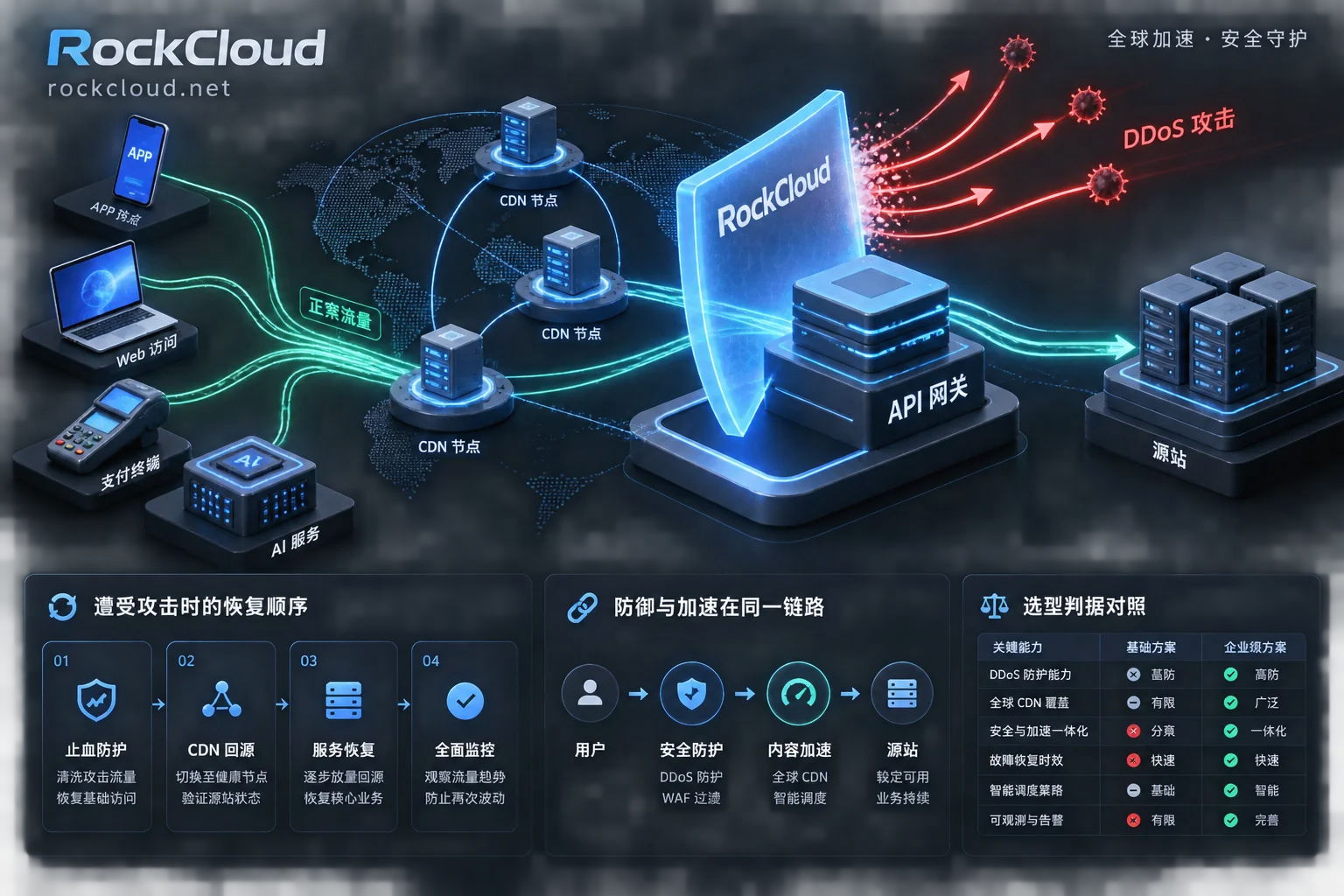
Second, connect to a reverse proxy / CDN with anti-blocking capabilities. Point the domain entry to cleaning and acceleration nodes; users connect to the nodes, and the nodes pull from the origin. The origin IP is no longer directly exposed. An extra benefit of this step is that it also takes the origin off the public internet.
If you are currently in a state of business interruption, RockCloud's Domain Blocking Recovery follows exactly this path of not changing the domain, completing acceleration and protection on the same link. You can first use a free test to confirm whether your domain can be pulled back to normal resolution in the target region, then discuss onboarding; if you're already offline and need someone to follow up directly, the contact entry is faster.
After setting up the reverse proxy, there's an easily overlooked finishing touch: resolution is restored, but the origin real IP is still scattered in historical DNS records, email headers, and certificate transparency logs — making the setup pointless. For a checklist on this, see How to Hide the Origin Server? 5 Gates from Exposure Surface to mTLS Back-to-Origin.
Before Changing the Domain, Think Through Three Things
Changing the domain is a last resort, not a shortcut: backlinks and search indexing need to be rebuilt, app hardcoding, payment callback whitelists, third-party callback URLs, and email SPF/DKIM all need to be updated; more importantly, the new domain could also be poisoned — if the triggering cause (content, history, shared IP range, etc.) is not identified, switching just delays the problem. Figure out the cause first, then evaluate whether to switch.
How to Validate After Recovery, and Will It Recur?
- Re-test from multiple locations and ISPs to confirm that all resolve to the correct entry IP, not just that your own machine works.
- Run the Step 3 spoofing test again to see if querying an IP without DNS service still returns forged records instantly. This is more direct than checking if the webpage opens.
- Observe for 24 to 72 hours. Poisoning may recur; put domain resolution results and availability into monitoring alerts instead of waiting for user reports.
- Keep records. Save the
digoutput, probing screenshots, and wrong IPs during the incident so you can quickly compare if it's the same issue next time.
One combined scenario worth knowing in advance: DNS poisoning and SNI blocking occur simultaneously. The symptom is that resolution is corrected and TCP connections can be established, but the HTTPS handshake is cut off. This requires TLS-layer handling on the node side (e.g., ECH-like solutions), and platform support varies — rely on actual test results when encountered, and don't assume "cleaning will definitely work."
Just remember the order: first confirm by layers, then rule out more common causes, use temporary self-rescue, recover on the business side via domain-preserving cleaning or reverse proxy, and finally re-test from multiple locations and watch for recurrence. Skipping the confirmation step and buying a solution directly is the most common and most expensive detour in this type of failure.



Comments(0)